What Is The Difference Between UI And UX?
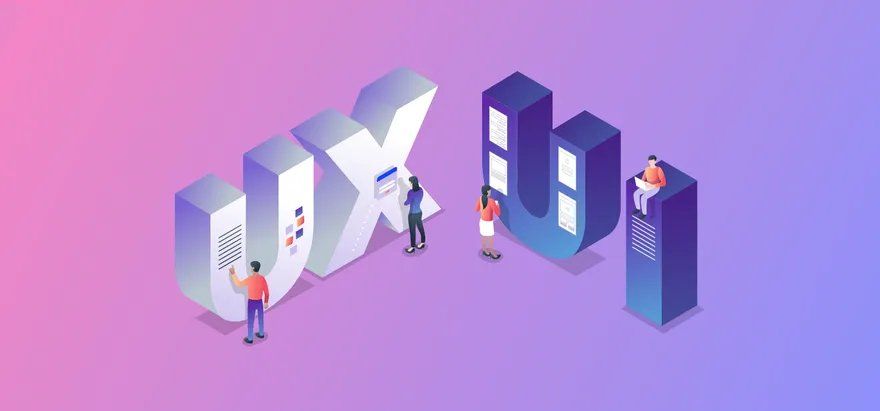
It is quite common for people in the world of website building and design to use the terms UI and UX interchangeably. The confusion between these two terms is understandable as these letters are often seen together as in “UI/UX.”
While both may sound the same, they are not to be confused as the same thing. This article will delve into the differences between UI and UX and offer a clear understanding of both worlds.
WHAT DO THE TERMS “UI” AND “UX” MEAN?
If we look at the definition of these two terms at a surface level, they seem to be describing the same thing. But, the devil lies in the details.
UI is an abbreviated term for “user interface.” A user interface is what a user interacts with as they engage with a product or device. UI includes everything from screens and buttons, copy and images, to the tiniest of micro-interactions.
UX is an abbreviated term for “user experience.” User experience refers to the purpose and functionality of the product or device and the user’s experience throughout their customer journey.
While both UX and UI rely on each other to make beautiful and functional websites, it is important not to skimp on either side.
WHAT IS UI DESIGN?
UI includes the buttons users click on, the images and design elements users see, the sliders, videos, and motion graphics as they move across the screen, the copy users read, and a range of other items that users typically interact with. All of these must be designed well in order to compel a user to take the desired action or keep them coming back for more of what is being offered.
But who does all of this work? Who makes the user interface desirable and simple to use?
This job falls to UI designers. They are the ones who decide how an application, website, device or product will look and the features and functionalities it will contain.
UI designers have the full authority to determine button shapes, website and app layouts, and color schemes. They can create a unique branded look and theme and hold the power to connect the user’s experience to the brand.
WHAT IS UX DESIGN?
How can we measure a user’s experience with an application or website? We do this by observing a user’s interactions with it. Is the user’s experience confusing, frustrating, smooth, intuitive, or flunky? UX design addresses it all and relies heavily on UX research.
Does navigating (using a search bar or switching from page to page within a website) feel arbitrary or logical for the user? Does the interaction with the application or the website feel efficient? Can they carry out the work that they are supposed to do easily and without any struggles? All these questions fall into the realm of user experience.
Let’s now understand the UI vs UX debate conceptually. While there are some similarities, there are a range of differences between UI and UX to consider.
WHAT IS THE CONCEPTUAL DIFFERENCE BETWEEN UI AND UX DESIGN?
UI and UX are the two most important components that can make or break a product or website. They are interdependent and must align to ensure the end product is functioning smoothly.
How can the underlying differences between UX and UI design be defined conceptually?
The first conceptual difference is: while UX searches for solutions, UI determines the visual look and feel of the product. Simply put, one focuses on the user’s expectations about what the product should be while the other eradicates any issues that could prevent users from having the experience they want.
From a different angle, UI design is directly responsible for simulating what UX designers do behind the application, product or website.
The most common similarity between these two terms is that their backbone is the audience itself. All the experimentation work, design protocols, testing, and research primarily focuses on improving the experience of the audience.
10 KEY DIFFERENCES BETWEEN UI AND UX
Here are some of the top differences that will help you differentiate between UI and UX:
- UX and UI are uniquely different terms from a design and experiential point of view.
- UI focuses primarily on creating an attractive and engaging interface while UX focuses on ensuring it is useful and functional for users.
- While UI fulfills the emotional and visual needs of users, UX helps the user achieve the purpose or goal for which they have entered the website.
- The UX always comes first and UI comes second in most cases. This may not always be the case if the UX and UI designer are the same person.
- While UI pertains to interface enhancements, UX is applied across every page and functioning element of the website or application.
- UX solves issues within the customer’s journey while UI enhances the overall experience of the user.
- A UX designer is primarily concerned with the conceptual aspects of a website’s design while a UI designer stays focused primarily on tangible website elements.
- With regard to metrics, UI is often measured through snapshots while UX is determined by the user’s journey.
- UI is specific to how a user interacts with a product or service while UX consists of every bit of the experience from start to finish.
- UI designers discuss structure, look and appeal while UX designers focus on process, functionality and flow.
WHAT’S MORE IMPORTANT: UX OR UI?
In our opinion, UX and UI are both important but if we had to pick one UX would come first. The reason for this is because the end user of a product or website is always right.
While they might be able to ignore or overlook a bad UI, they won’t be able to stand poor UX design for long. A good UI might seem good for a while, but how good is it really if users can’t easily navigate through their own experience. Sooner or later, a user will most likely uninstall the app, return the product, or un-bookmark the website.
Whether designing experiences or interfaces, we should be careful to keep in mind that the needs of the target user should always come first.

EzPages.Pro specializes in small business web management and web development for small businesses and startups. Our tailored solutions simplify content updates, track performance with analytics, and ensure smooth site operation. With our all-in-one management services, you can focus on growing your business while we handle the rest.
🚀 Let’s build something great together.
EZPages blog